Visual Studio Code extension
Download the GoERP extension for VS Code:
| Version | Download link |
|---|---|
| v0.4.0 | goerp-templates-0.4.0.vsix |
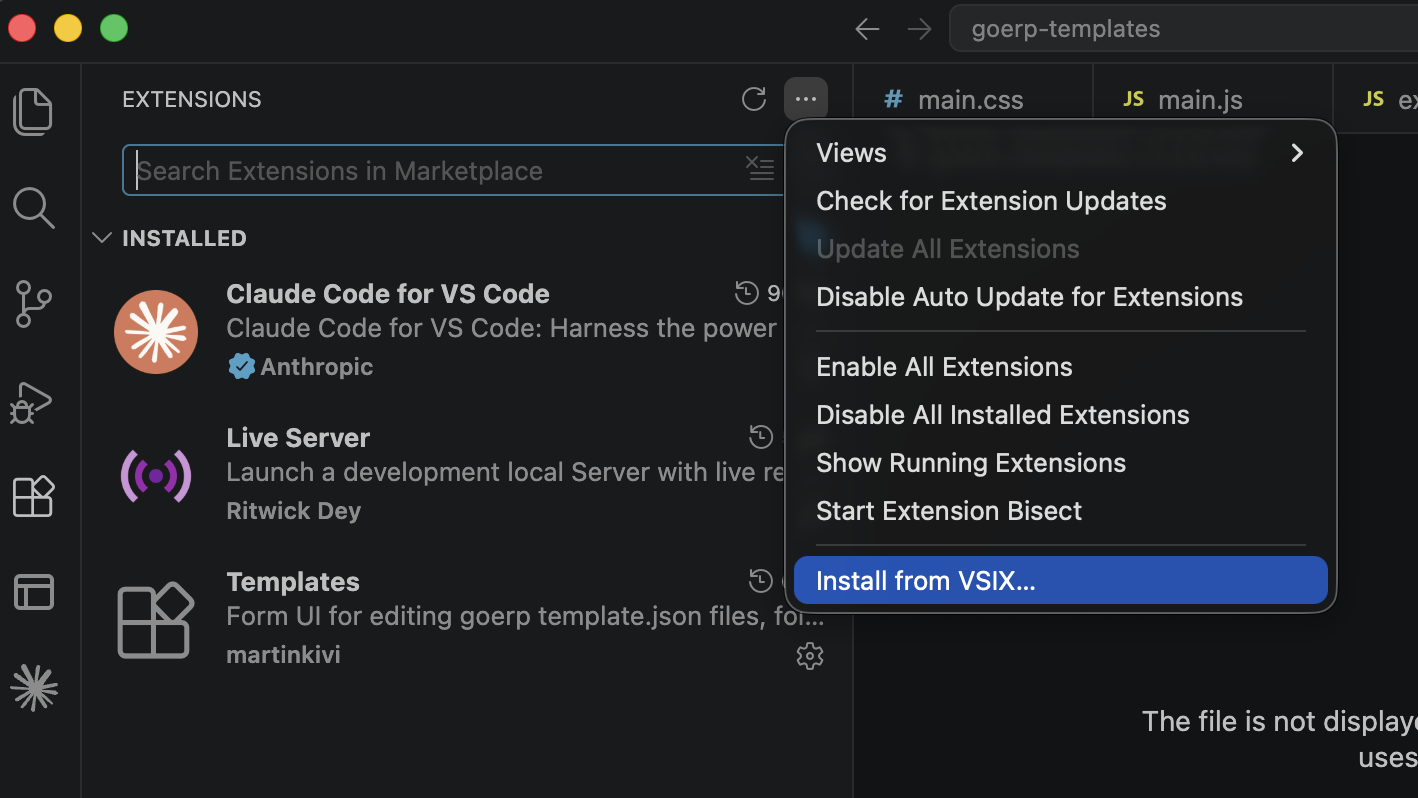
Install the extension using the “Install from VSIX” command in the Extensions panel:
In addition to that, download the local development build and place it into the project root folder.
Edit the configuration file (configuration.json) as instructed.
Development workflow with VS Code and local build
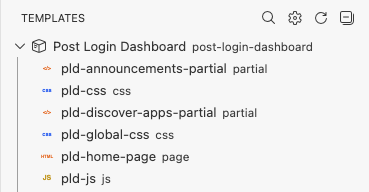
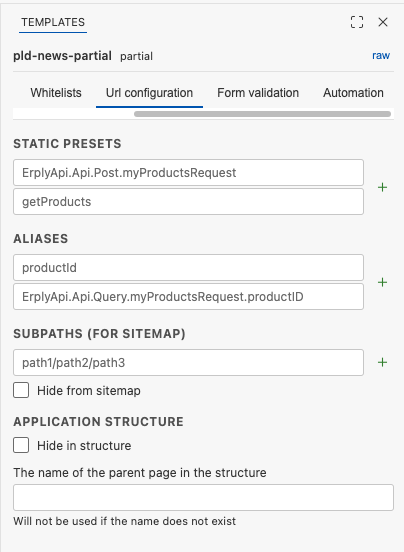
The extension adds two panels into VS Code, similar to the GoERP web editor:
- Templates shows a list of templates in the current application and lets you quickly switch between them.
- Template settings contains the “Publish settings”, “Modules”, “Whitelists”, “Url configuration”, “Form validation” and “Automation” tabs.
Start up the local build:
Edit and create templates, or use AI to generate/edit them. View the results locally.
Invoke the local build binary to upload the modified app to your Erply account: