Local Development builds

Local development with the builder. Use the special service build locally to develop the applications. With this you can use local IDE and run the application locally. Also use git repository on the files for easier development and version control.

The build here is closer to WASM/Service builds than the regular server build.

Some known functionality differences:

  • Not possible to run query templates against query api
  • Not possible to use server AI features
Warning

Note that this is an experimental version at the moment so there are some limitations and issues that may arise. Please report any issues you find.

Configuration

The file contains a configuration.json file where you can set up the configuration for the local development build.

The application structure used is the same as the export packages from the server.

If the application uses assets or modules (v2) then these should also be exported and put into the extra_directories field in the configuration file. This is needed for the builder to be able to include these in the build.

  "app_configuration": {
    "defaultClientCode": "100000",
    "apiMode": "",
    "cartMode": "",
    "isCartBackupEnabled": false,
    "autoSyncInterval": 3600,
    "apiCallAttemptCount": 1,
    "apiRetryWait": 2
  },
  "app_directory": "replace-with-your-app-directory",
  "automat_api_endpoint": "https://template-engine-eu10.erply.com/api",
  "client_code": "",
  "enable_live_reload": true,
  "extra_directories": [],
  "port": 8080,
  "session_key": ""
}

Command line helpers

Version 1.54.14

Run the local development server with the following command:

./automat serve

Create a new template stub First paremeter is the name of the template, second is the type (page, partial, layout etc)

./automat create-template my-new page

Package the application into a zip file for upload to the server (does not upload).

./automat package

Package and upload the application to the server. This will use the session key from the configuration file to upload the application to the server.

./automat package-and-upload

Switch active directory to another application directory. Can be used instead of manually adjusting the app_directory field in the configuration file.

./automat switch my-other-app-directory

Binaries

Available local development binary packages by version:
Version macOS Linux Windows
1.54.14 automat-darwin-amd-64-1.54.14.zip
automat-darwin-arm-64-1.54.14.zip
automat-linux-amd-64-1.54.14.zip automat-windows-amd-64-1.54.14.zip

Subsections of Local Development builds

Visual Studio Code extension

Download the GoERP extension for VS Code:

Version Download link
v0.4.0 goerp-templates-0.4.0.vsix

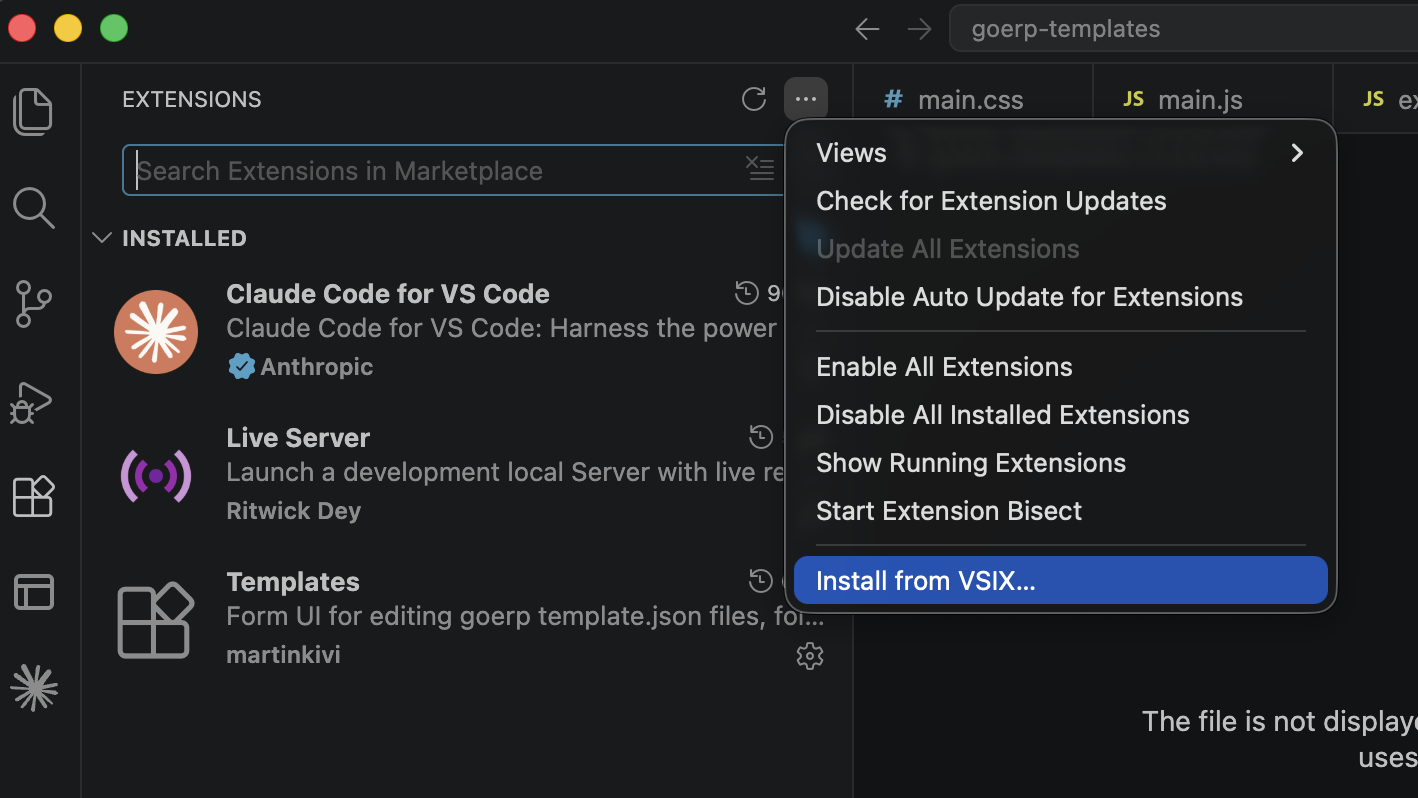
Install the extension using the “Install from VSIX” command in the Extensions panel:

Install from VSIX… menu item in the Extensions panel Install from VSIX… menu item in the Extensions panel

In addition to that, download the local development build and place it into the project root folder.

Edit the configuration file (configuration.json) as instructed.

Development workflow with VS Code and local build

The extension adds two panels into VS Code, similar to the GoERP web editor:

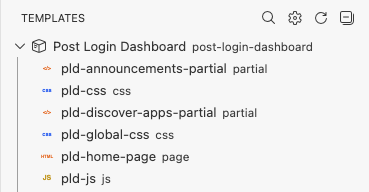
  1. Templates shows a list of templates in the current application and lets you quickly switch between them.
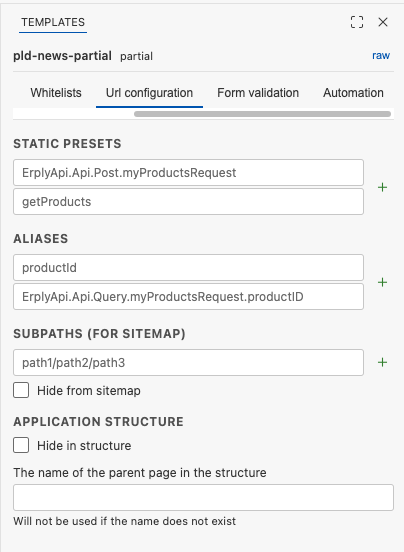
  2. Template settings contains the “Publish settings”, “Modules”, “Whitelists”, “Url configuration”, “Form validation” and “Automation” tabs.

Templates tab Templates tab

Template settings tab Template settings tab

Start up the local build:

./automat serve

Edit and create templates, or use AI to generate/edit them. View the results locally.

Invoke the local build binary to upload the modified app to your Erply account:

./automat package-and-upload